
Finance and accounting
A real ledger behind every document, or the one you already keep.
Every operational document posts to a general ledger through posting rules you can see and change. Fritech ERP can be your books, with periods, statements, reconciliation and multi-currency, or it can exchange financial transactions with the accounting system you prefer to keep.
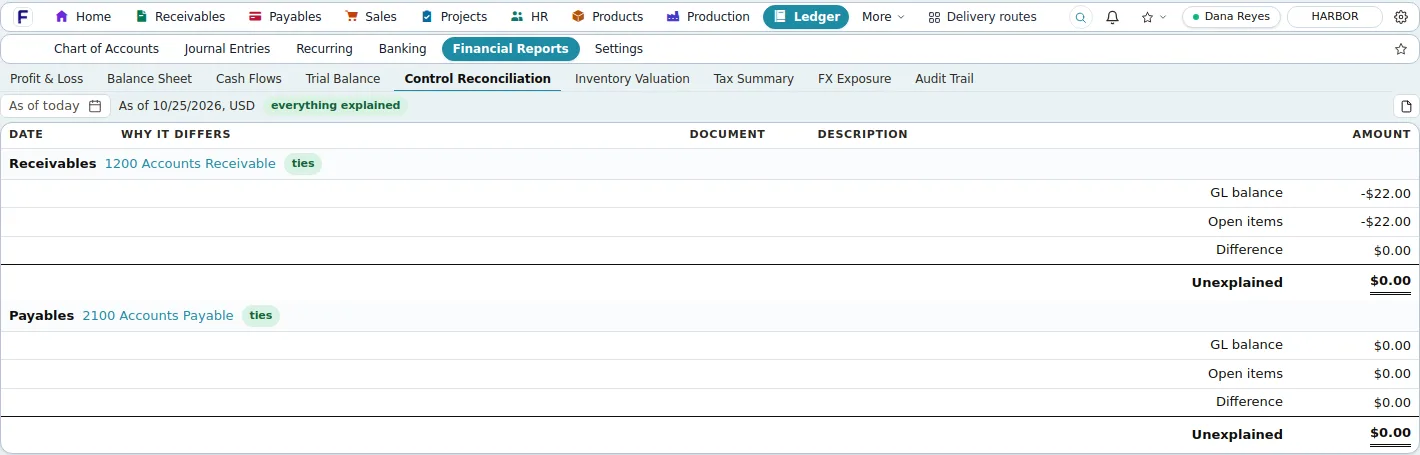
Screens shown are the product's own demo company, Harbor Foods. Figures are demo data.
Problems it solves
- Operational documents re-entered into the accounting package
- Month-end spent reconciling systems that never agreed
- Bank statements matched by hand
- A second system needed for a second currency or company
Why it matters
What changes for your business.
The books follow the documents
Every shipment, invoice, receipt and bill posts through posting rules you can see and change.
Close with a checklist
Periods, control-account reconciliation, bank reconciliation and statements on editable layouts.
Or keep your accounting system
Fritech ERP runs operations and exchanges financial transactions with the accounting software you keep.
Bank reconciliation
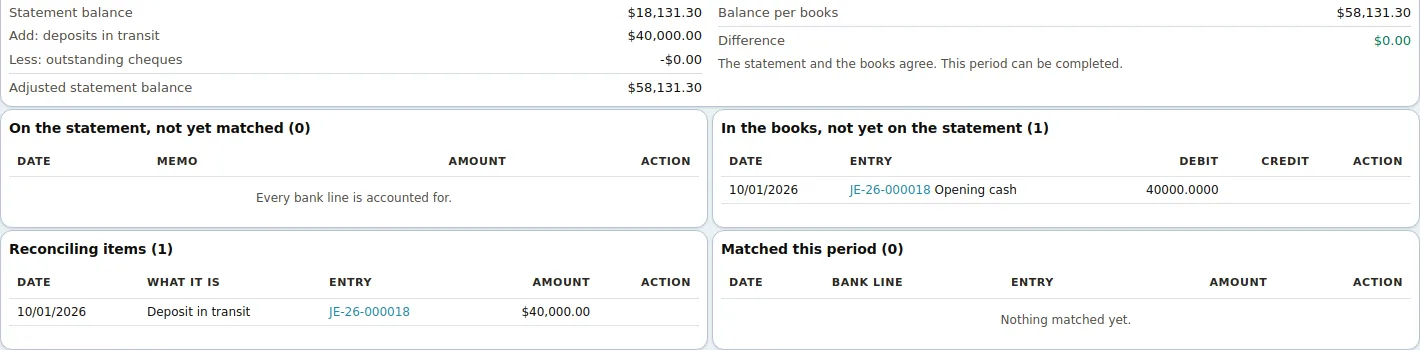
Statement in, suggested matches, difference zero.
Import the statement, accept the scored matches in bulk, post what is missing, and complete the reconciliation at a zero difference. Deposits in transit and outstanding items are explained on the same screen.
Receivables
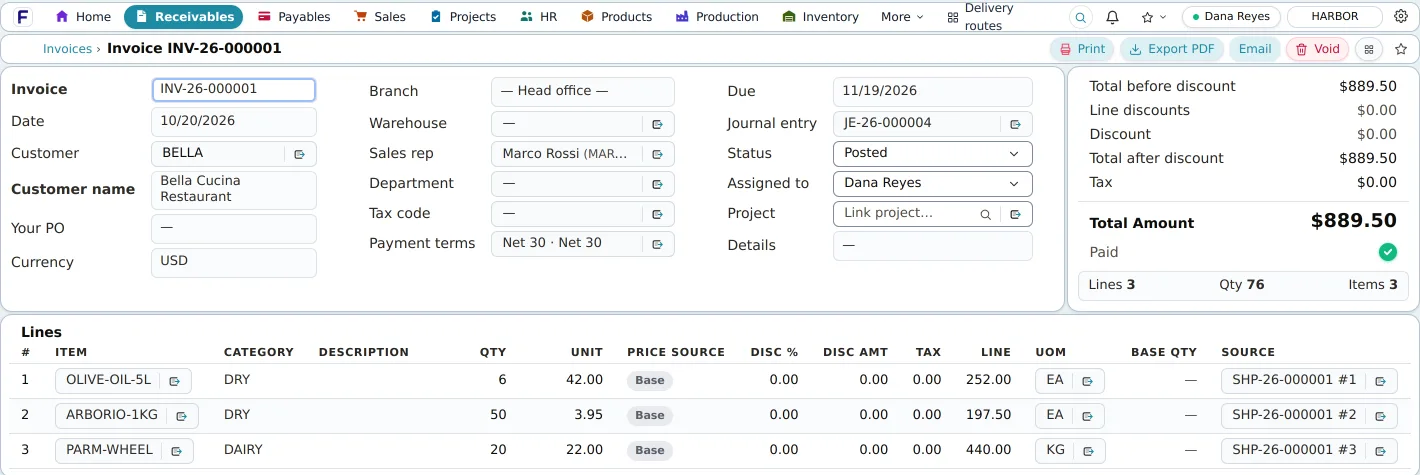
The invoice knows its shipment, its journal and its receipt.
Invoice lines come from the shipment, posting books the journal entry that is linked on the invoice, and the receipt applies to it and deposits to the bank account. The invoice, its journal entry and its receipt link to each other.
In detail
What it covers
Everything this capability does, grouped. Open it for the specifics your IT team and power users will ask about.
Open the full listClose the list
In detail
What it covers
Everything this capability does, grouped. Open it for the specifics your IT team and power users will ask about.
Open the full listClose the listGeneral ledger
- Chart of accounts tree and an account ledger for any date range with opening and closing balances
- Manual journals with customer, vendor, item and branch dimensions: post, duplicate, void, reverse on a chosen date; spreadsheet import; recurring journals
- Posting rules: one settings page maps every accounting event to ledger accounts
- Fiscal years with monthly periods; postings into closed periods refused; a period-close checklist that flags unposted drafts, unreconciled banks and missing revaluations
- Trial balance, profit and loss, balance sheet and a statement of cash flows on editable layouts; control-account reconciliation; tax summary by authority
Receivables and payables
- Invoices with lines from orders or shipments, credit notes, customer receipts applied to invoices and deposited to a bank account
- Credit limits and holds that refuse posting; a collections worklist with reminder e-mails, by hand or on an optional schedule
- AR and AP aging as of any date, customer and vendor statements, contra settlements between a customer and vendor
- Recurring billing contracts (monthly, quarterly, yearly) with an automatic bill run and optional straight-line deferred revenue
- Payment terms with early-payment discounts; tax codes with multi-authority components, each with its own account
Banking, currency and companies
- Bank accounts linked to ledger accounts, statement import from CSV, OFX or QFX, and reconciliation with suggested matches
- Vendor payment files in NACHA (US) or CPA 005 (Canada) format
- Multi-currency documents with functional-currency amounts on every line, daily exchange rates fetched automatically, period-end revaluation and realised gains and losses
- Several companies in one installation with a switcher; branches with their own numbering and filtered work
- Keep your accounting system: financial transactions transferred to it, built by Fritech for your setup
Good to know
Before you implement, and what this capability does not do today.
We state limits plainly so your evaluation is based on the product as it is; ask in the demo about anything on the roadmap.
Implementation and integration notes
- Decide early whether Fritech ERP is the ledger or feeds your existing accounting system; both are supported, and the integration is scoped with you.
- Opening balances, the chart of accounts and tax codes are loaded during implementation; a US chart of accounts is seeded by default.
- Sales-tax rates are maintained by you; there is no rate lookup service.
Current limits
- No fixed-asset register, ledger budgets, multi-entity consolidation or intercompany eliminations; companies share one installation but are reported separately.
- No live bank feeds, online payment acceptance, check printing or customer payment portal; statements import as files.
- Sales-tax rates are maintained by you; there is no rate lookup service, e-invoicing or tax e-filing.
See Fritech ERP on your own order, receipt and month-end.
Tell us how your business works. We come back with a few times to choose from, and the demo runs in the product on your scenarios, not a slide deck.